
SAFER STREETS FOR YOUR ESTATE
GateVision helps your estate manage speeding with photo evidence, fair review and a clear record of every decision.
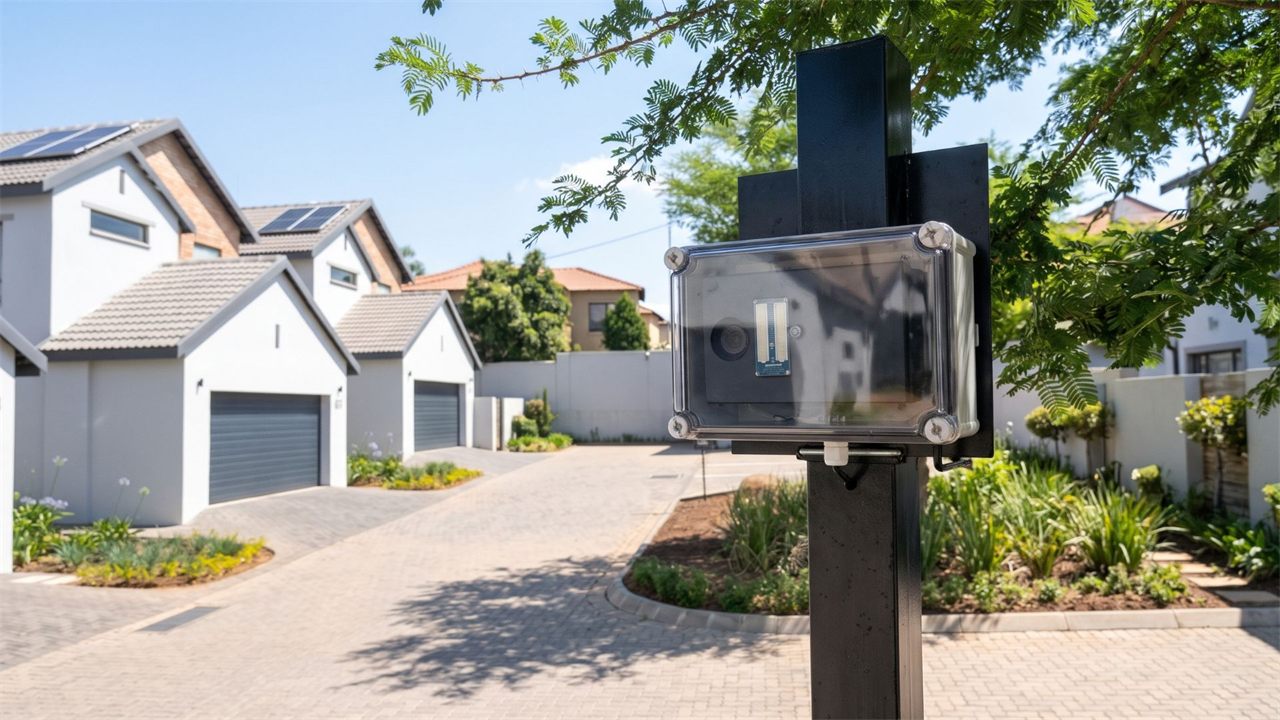
Speed doesn't have to be high to be dangerous
Estate roads feel safe, so people use them that way. Children play outside. Pets wander. Neighbours walk and cycle.
Small children are hard to see and can move without warning. Even at low speed, a collision can cause serious injury or death.
A slower car gives a driver more time to see, react and stop. That time can protect someone's child, parent or pet.
What the research says
- In South Africa, pedestrian injury is a leading cause of death among children and adolescents. SAMRC-UNISA, 2018
- For an average pedestrian, the risk of severe injury reaches 10% at an impact speed of about 26 km/h, and 50% at about 50 km/h. AAA Foundation, USA, 2011
- The risk of death reaches 10% at about 37 km/h, and 25% at about 51 km/h. Risks vary significantly with age. AAA Foundation, USA, 2011
- Above 30 km/h, each extra 1 km/h increases a pedestrian's chance of death by 11%, according to an analysis of 20 studies. World Health Organization, Speed Management manual
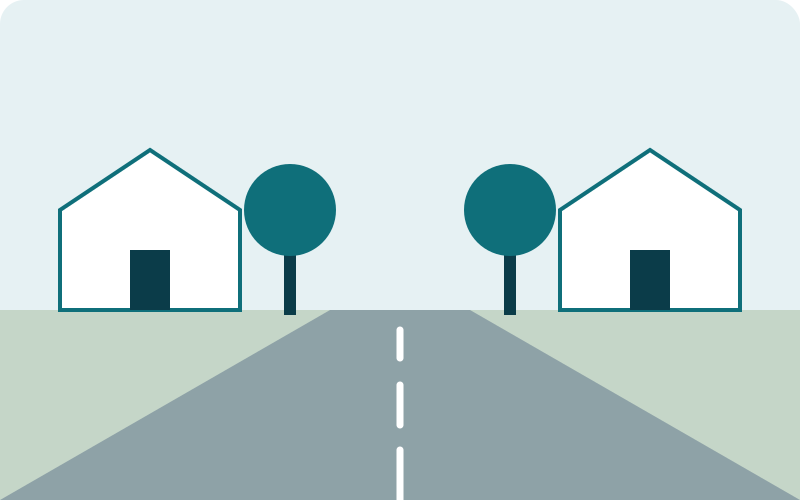
How far a car travels in one second
At 30 km/h about 8 metres
At 40 km/h about 11 metres
The car covers this distance in a single second, whether or not the driver has started to brake.
Children
Small children are hard to see and move without warning. The faster the vehicle, the less time anyone has to stop.
Pets and animals
A moment's distraction is all it takes. Lower speeds give drivers a real chance to avoid a tragedy.
Everyone else
Joggers, cyclists, domestic workers, delivery staff and elderly residents all share these roads.
Four simple steps, with people making the decisions
A GateCam device, with radar and a camera on a pole, works with the GateVision web app.
-
Step 1
Detect
Radar measures the speed of each vehicle passing the GateCam.
-
Step 2
Photograph
Only vehicles over your estate's limit are photographed. The photo is uploaded to the app.
-
Step 3
Review
Your estate admin checks each photo in GateVision before anything is issued.
-
Step 4
Act
The admin issues a warning or fine, or marks it exempt. Residents can then accept or dispute it.
A clear view for admins and residents
Admins get everything they need to review a case. Residents see only their own records.
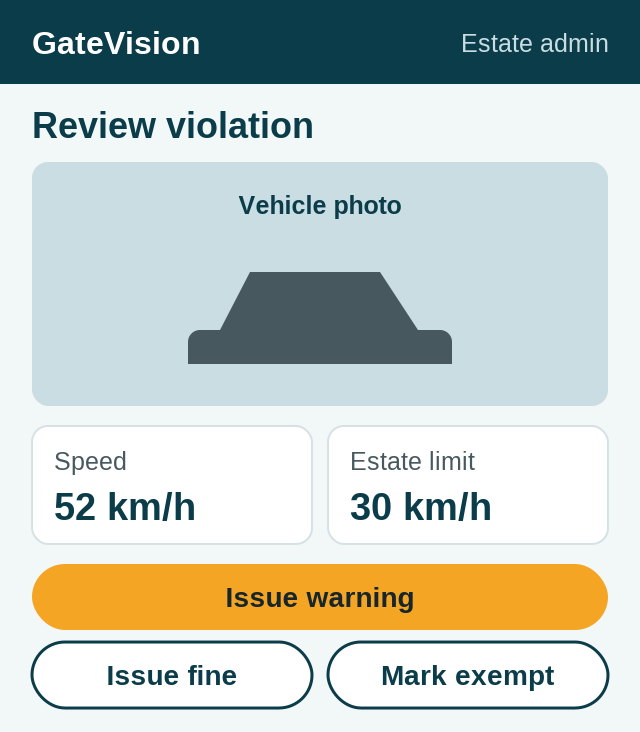
Review each case
The admin sees the photo and speed, then chooses a warning, a fine or an exemption.
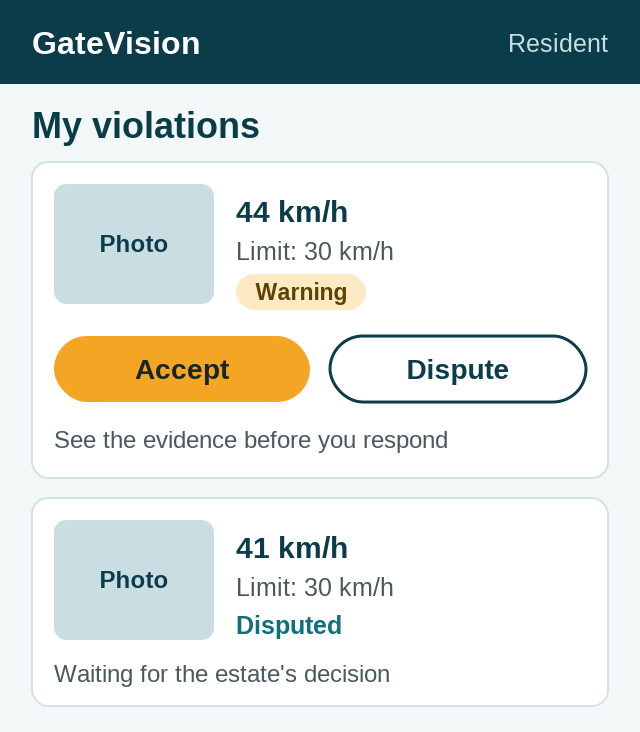
Residents can respond
Residents see their own violations and can accept or dispute each one.
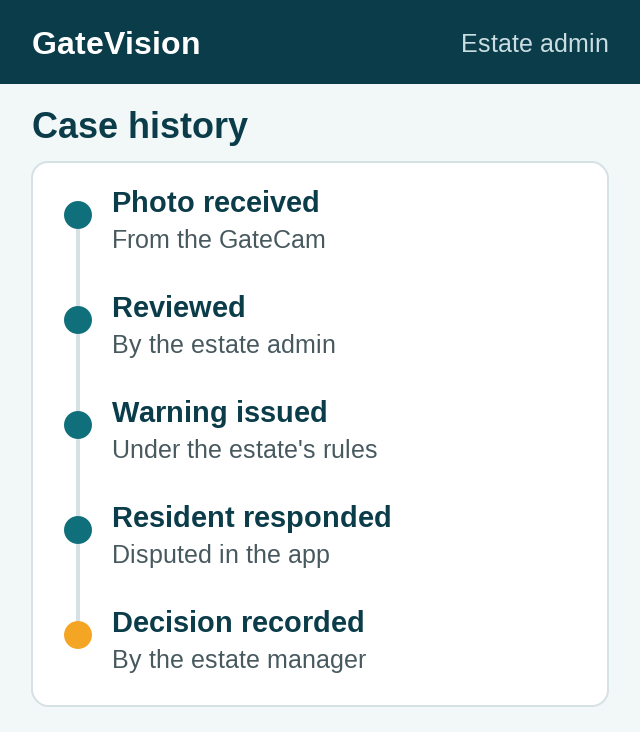
Every decision is recorded
Your estate has a clear history if anyone asks questions later.
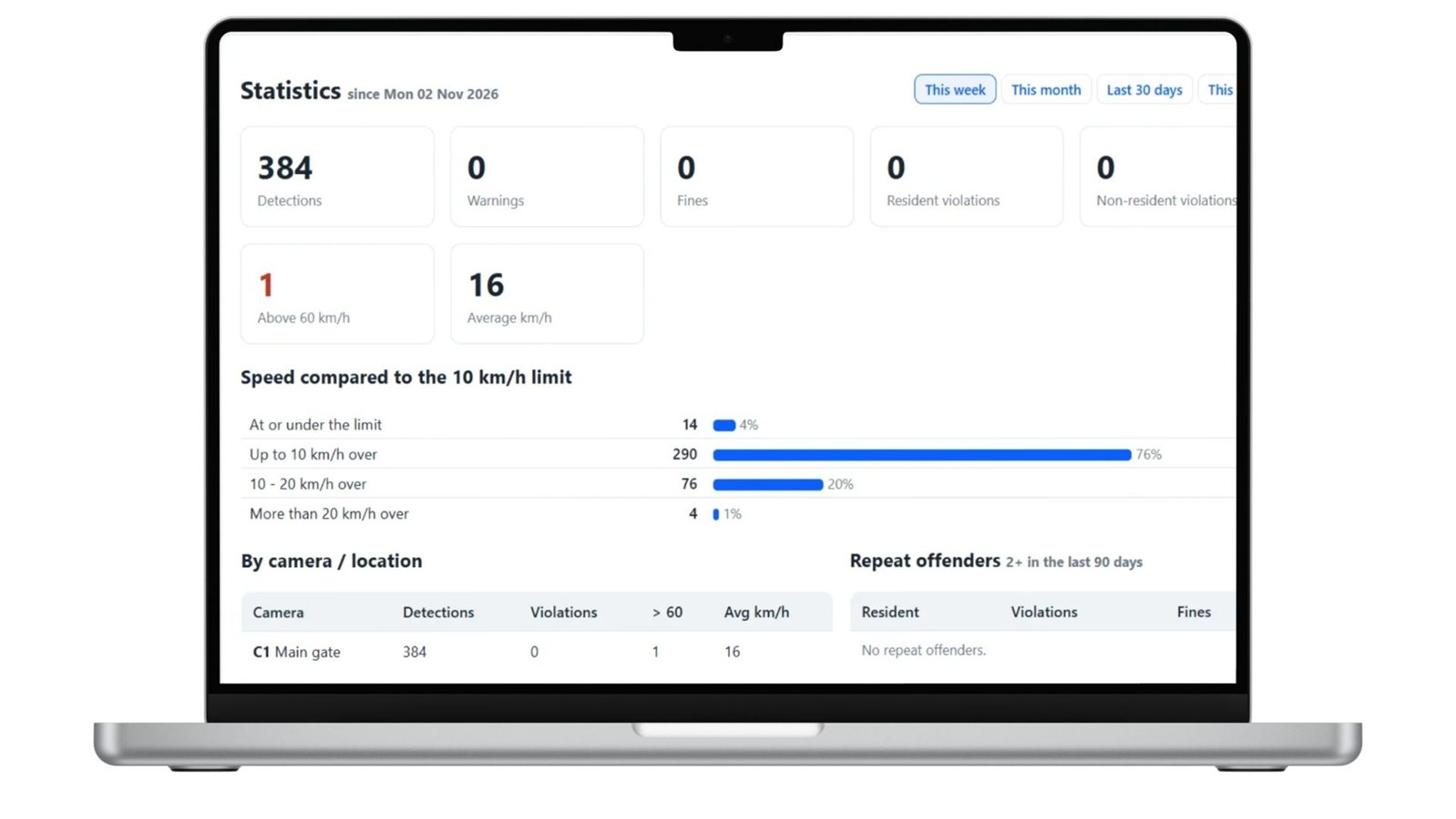
See the bigger picture
Statistics show detections, warnings and fines, how speeds compare with your limit, results by camera and repeat offenders.
Fair, consistent enforcement that your estate controls
You decide the speed limit, the warnings and the fines. We provide the evidence and the process.
For managers and trustees
- Evidence: a photo and recorded speed for each case
- Fewer disputes: clear facts help to settle arguments
- Less admin: review and issue from one place
- Audit trail: a record of every decision
For residents
- Safer streets: calmer roads for everyone who uses them
- Transparency: a clear process you can follow
- A say: see your own violations and accept or dispute them
- Privacy: residents see only their own records
For the estate
- Fairness: the same process for everyone
- Consistency: support for the rules you already have
- Your decisions: people at your estate review each case
One simple monthly fee per device
We own the equipment, so there's no upfront equipment cost. Contact us for a quote for your estate.
Ask for a quote- No upfront equipment cost
- Flat monthly fee for each device
- Maintenance and faulty devices handled by us
- Installation is charged separately
Installed in one day
Three steps from planning to a working GateCam.
-
Choose the location
You decide where on the estate the GateCam should go.
-
Sort out connectivity
You provide an internet connection, or we can build a device with its own Wi-Fi.
-
We install
Our team installs the GateCam in one day. Your admin can then review cases in GateVision.
Questions estates ask
Does GateVision photograph every vehicle?
No. Radar measures vehicle speed, and only vehicles over your estate's limit are photographed.
How long is data kept?
By default, violation records are kept for 12 months and data not related to a violation for 90 days. Each estate can adjust these periods to suit its own governance rules.
Who sees the photos and data?
In the app, your estate's admins can see your estate's records. Residents see only their own.
What happens if a resident disputes a violation?
The resident disputes it in the app. Your estate admin or manager then decides, according to your estate's rules.
What if the internet is down?
The GateCam stores its photos and uploads them later.
How is accuracy verified?
The system is calibrated every year. Your estate admin also checks each photo before a warning or fine is issued.
Who issues fines, and are they enforceable?
Your estate issues warnings and fines under its own rules. GateVision helps you apply those rules but can't guarantee a fine is legally enforceable, so please check your rules with your legal adviser.
Who collects fines, and where does the money go?
Fines go directly onto residents' levies, and the funds collected go to the estate, to use as it chooses. We don't take any portion of the fines or get involved in collecting or paying out funds. We only charge a flat fee.
What does the estate need to provide?
A location for the GateCam and an internet connection. If connectivity is a problem, we can build a device with its own Wi-Fi.
What are the contract terms?
We handle all maintenance and faulty devices. The minimum contract term is 24 months.
Request a demo
Tell us a little about your estate. We'd be glad to show you how GateVision works and answer your questions.
Phone
076 435 6565
Address
Cnr William Nicol & Broadacres Dr
Fourways, Johannesburg, 2191